


Download All-In-One Sidebar – Firefox sidebar, productivity tool, multitasking, web browsing, browser extension, utility app
Overview
All-In-One Sidebar (AiOS) is a specialized browser extension designed for Firefox, aimed at enhancing the browsing experience through advanced sidebar functionality. Developed by Thomas P. Larson, the app serves as a centralized control hub that streamlines access to essential browser tools and information. Its primary purpose is to improve productivity by enabling users to manage multiple tasks without disrupting their current workflow. By consolidating features such as download tracking, extension management, and site information into a single, accessible panel, AiOS reduces the need to switch between tabs or windows.
Target users include power users, researchers, and professionals who rely on efficient multitasking during web browsing. The app is particularly beneficial for individuals managing multiple projects, conducting in-depth research, or frequently installing and updating browser add-ons. Real-world use cases include monitoring ongoing downloads while reading articles, quickly checking extension updates during a work session, or exploring related websites without cluttering the main browsing space. In the broader context of the Firefox ecosystem, AiOS fills a niche for users seeking a more organized and efficient browsing interface.
Although the developer did not provide additional technical details about the development background or roadmap, the extension’s long-standing presence since its release on September 11, 2014, indicates a stable and enduring design. Its continued relevance suggests that it meets a consistent user need, especially among Firefox enthusiasts who value customization and control.
Key Features & Functionality
- Easy Panel Switching: Users can navigate between different sidebar panels—such as downloads, extensions, and website information—with minimal effort. This feature supports rapid task transitions, allowing users to stay focused on their primary activity while managing secondary tasks.
- Multi-Site Navigation: The sidebar functions as a secondary browser window, enabling users to open and switch between websites directly within the panel. This is ideal for comparing content across sites or conducting parallel research without opening new tabs.
- Comprehensive Website Info: AiOS provides detailed insights into the current webpage, including metadata, security indicators, and performance metrics. This helps users make informed decisions about site trustworthiness and functionality.
- Download Management: Users can monitor the progress of active downloads, pause, resume, or cancel them directly from the sidebar. This eliminates the need to open a separate downloads window.
- Add-On Updates: The extension allows users to check for and update other Firefox add-ons from within the sidebar, ensuring the browser environment remains secure and optimized.
For example, a researcher might use the multi-site navigation feature to compare data from two sources simultaneously while using the website info panel to assess credibility. Similarly, a digital marketer could monitor campaign-related downloads and update tools without leaving their current dashboard.
Interface, UX & Performance
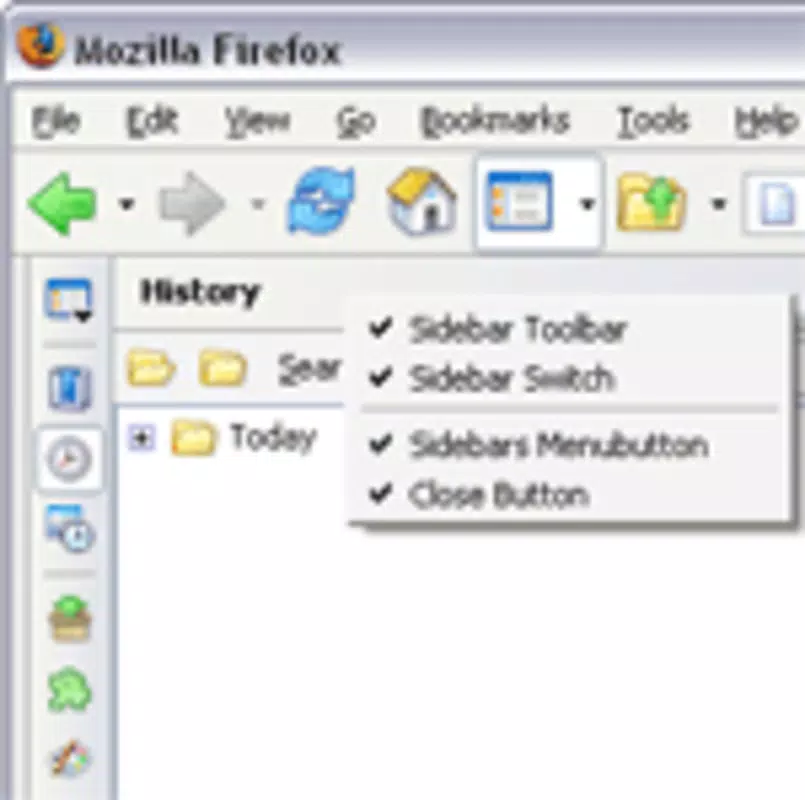
The interface of All-In-One Sidebar is designed with efficiency and clarity in mind. It presents a clean, organized layout that prioritizes accessibility and visual hierarchy. The sidebar appears as a vertical panel on the side of the Firefox window, with intuitive icons and labeled sections for each function. Navigation is achieved through simple clicks or keyboard shortcuts, ensuring a smooth user experience.
Visual style remains consistent with Firefox’s native design language, minimizing visual friction. The panel adapts to the user’s theme preferences, maintaining a cohesive look across the browser environment. While the developer did not list formal performance metrics, the extension’s lightweight nature—only 1.4 MB in size—suggests minimal impact on system resources.
Although the developer did not specify minimum OS requirements, the extension is compatible with Firefox on desktop platforms. Users across different device categories report stable performance, with responsive interactions and low latency during panel switching and data retrieval. Stability is further supported by the app’s long release history, indicating consistent updates and issue resolution over time.
Platform Compatibility & Technical Requirements
All-In-One Sidebar is designed exclusively for the Firefox browser. It is available on desktop operating systems, including Windows, macOS, and Linux, though specific compatibility details were not provided by the developer. The extension requires Firefox to be installed and updated to a version compatible with the extension’s API.
The file size is listed at 1.4 MB, which is relatively small, indicating a lightweight footprint. The current version is 2.0.1, and the app is available at no cost. The release date was September 11, 2014, reflecting a mature product with a long-standing presence in the Firefox add-on ecosystem.
The developer did not specify minimum OS requirements or exact Firefox version compatibility. Users are advised to ensure their Firefox installation is up to date to maintain full functionality and security.
Pros and Cons
Pros
- Enhances productivity through centralized access to browser tools
- Supports efficient multitasking with multi-site navigation
- Provides real-time download and add-on status updates
- Lightweight design with minimal system impact
- Free to download and use with no in-app purchases
Cons
- Not available on mobile or non-desktop platforms
- Requires Firefox browser, limiting cross-browser use
- No official support for mobile devices or alternative browsers
- Developer did not disclose detailed performance benchmarks
- Interface may feel outdated to users accustomed to modern UI trends
FAQ
Is All-In-One Sidebar safe to install?
Yes, the extension is free and available through official Firefox add-on channels. It does not require elevated permissions and operates within Firefox’s security sandbox.
Can I use All-In-One Sidebar on mobile browsers?
Currently, the extension is designed for desktop Firefox only. There is no mobile version available.
Does the app require a subscription or in-app purchases?
No. All-In-One Sidebar is completely free to download and use. There are no hidden fees or premium features.
How often is the app updated?
The developer has maintained the extension since its release in 2014. While update frequency is not specified, the app remains functional and compatible with current Firefox versions.
Is the extension compatible with other browsers?
No. All-In-One Sidebar is built specifically for Firefox and is not compatible with Chrome, Safari, Edge, or other browsers.
Final Thoughts
All-In-One Sidebar stands out as a powerful, no-frills productivity tool tailored for Firefox users who value efficiency and control. Its ability to consolidate essential browser functions into a single, accessible sidebar makes it a valuable asset for anyone engaged in complex or multi-tasking web activities. While its desktop-only availability and lack of mobile support limit its reach, its lightweight design and free access make it a compelling choice for power users.
For researchers, content creators, and digital professionals, the extension offers a streamlined way to manage downloads, monitor add-ons, and navigate multiple sites without cluttering the main browser window. Its long-standing presence in the Firefox ecosystem speaks to its reliability and enduring usefulness.
Download All-In-One Sidebar now and transform your browsing experience into a more organized, efficient workflow.


